
With the launch of 1 Note: 1 Debt, we revisited the logic behind Autoinvest to make it significantly more controllable and strategy-driven for investors. Previously, Autoinvest used a simplified allocation approach, distributing funds in equal portions based primarily on one parameter: your total investment limit.
Autoinvest 2.0 introduces a more granular portfolio-control model, giving you a broader set of filters and limits so you can shape Autoinvest around your personal approach to diversification, risk, and deal selection.
What’s new in Autoinvest 2.0
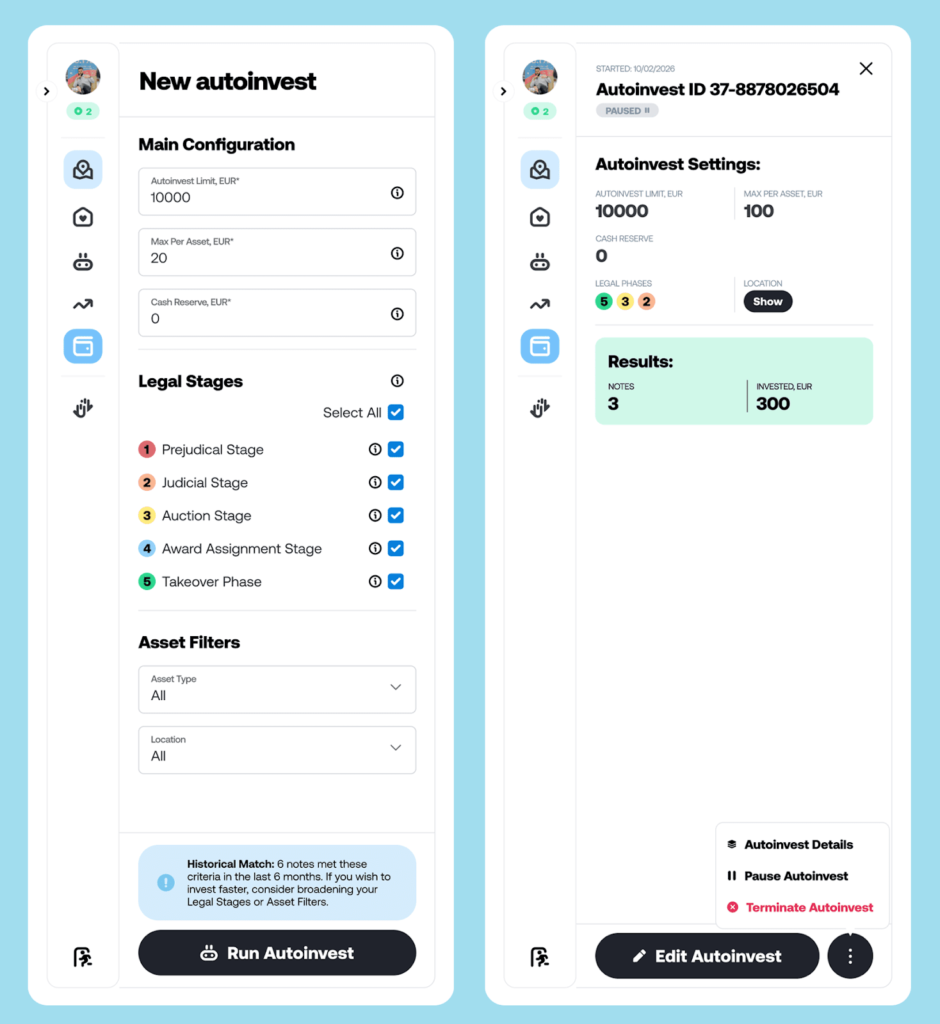
Autoinvest 2.0 is designed around a simple idea: you should be able to define your strategy in clear rules, and Autoinvest should follow them consistently. The update focuses on four key improvements: exposure management, legal-flow filtering, asset filters, and flexibility to edit or pause your strategy.
1) Stronger risk exposure management
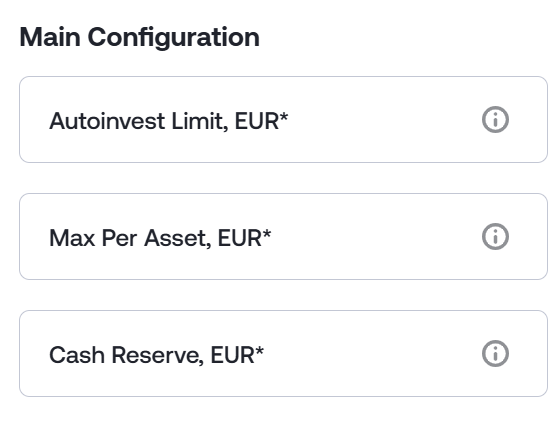
Autoinvest Limit
You can set an Autoinvest Limit as your target allocation for the strategy. This limit can be higher than your current wallet balance. Autoinvest will invest any available funds that match your filters, and as you top up your wallet over time, those new deposits can be allocated automatically until the limit you set is reached. This helps ensure your automatic investing stays within the budget you are comfortable deploying.
Platform Definition: Autoinvest Limit is the total amount you allocate to Autoinvest. The funds do not need to be on your balance right now — as soon as they become available, Autoinvest will use them until the limit is reached.
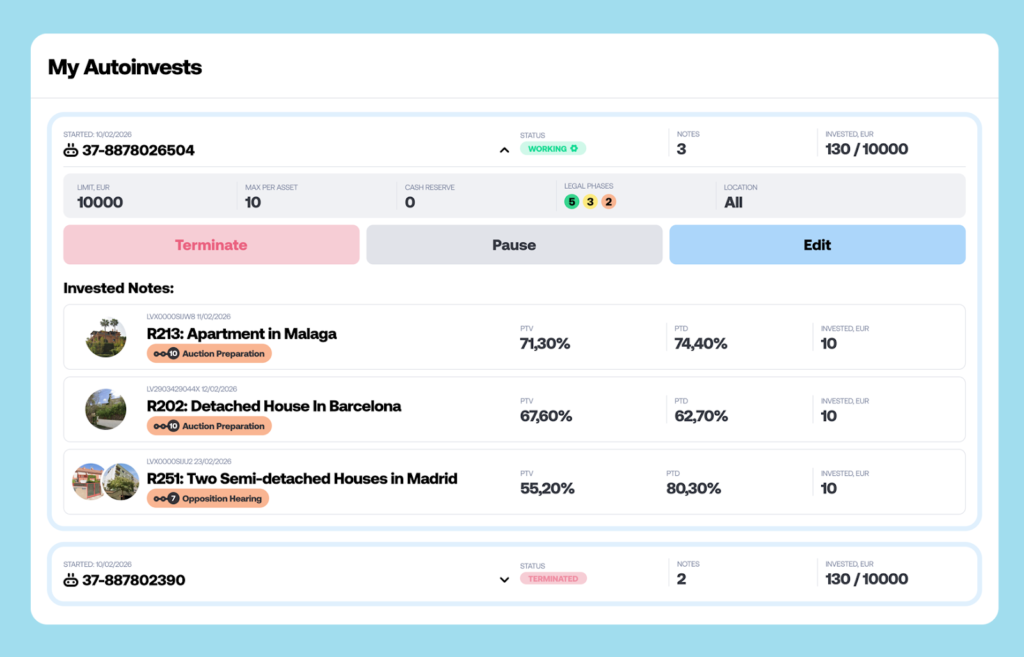
Max per Asset
You can set a Max per Asset limit to control how much Autoinvest can allocate to any single Discounted Debt, even if it is offered through different Notes over time. This is a key diversification tool that helps you spread exposure across more opportunities instead of concentrating too much in one.
In addition, Autoinvest will not invest into a new Note if it lists a Discounted Debt you have already invested in through another Note if you have already reached the max per asset limit, helping prevent accidental double exposure to the same underlying asset.
Platform Definition: The maximum amount Autoinvest will invest in any single note.
Cash Reserve
With Cash Reserve, you can decide how much money Autoinvest should always keep available in your account (wallet).
Think of it as your “do not touch” buffer: Autoinvest will invest around it, but it won’t dip into that reserved amount . This way you keep flexibility for manual investments, withdrawals, or simply peace of mind.
Platform Definition: The amount Autoinvest will always leave untouched on your account balance.
Built-in diversification logic
Autoinvest also checks whether a newly published Note matches Discounted Debt (DDI) assets already in your portfolio. If a match is detected, the investment is not permitted, which further supports diversification at the underlying asset level.
2) Filtering by Legal Recovery Flow Stage
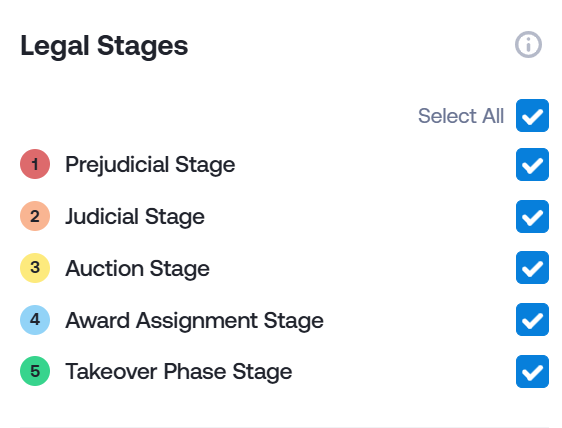
Autoinvest 2.0 allows you to filter opportunities based on where the case sits in the legal recovery flow. Five key Flow stages are available for selection:
- Prejudicial Stage: pre-litigation and court claim preparation phase
- Judicial Stage: court proceedings
- Auction Stage: public foreclosure auction
- Award Assignment: transfer of rights following the auction
- Takeover Phase: entry into possession and sale of the property
This feature is especially useful if you prefer a specific part of the recovery journey, whether you are looking for earlier-stage opportunities, later-stage opportunities, or a structured mix. You get full control depending on your preferred investing strategy on Indemo.
3) Asset filters: invest in what you actually want
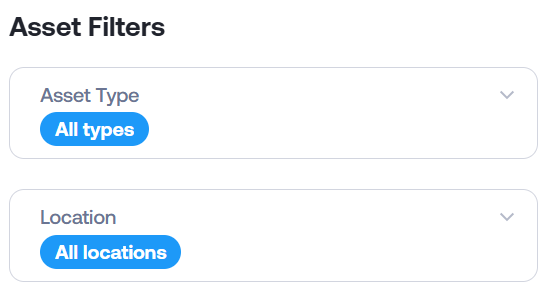
Autoinvest 2.0 introduces filters that help you shape your portfolio based on the underlying real estate collateral:
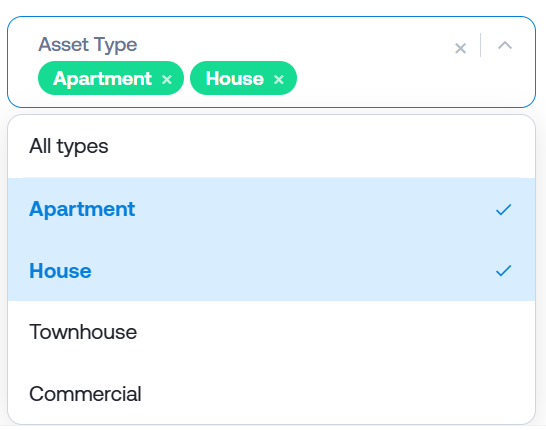
Asset type
Filter by property classification, including:
- Apartment
- House
- Townhouse
- Commercial
Note: You can select multiple asset types at the same time to broaden your filter criteria, for example: Apartment and House, Apartment, House, and Commercial, or Commercial and Apartment etc.
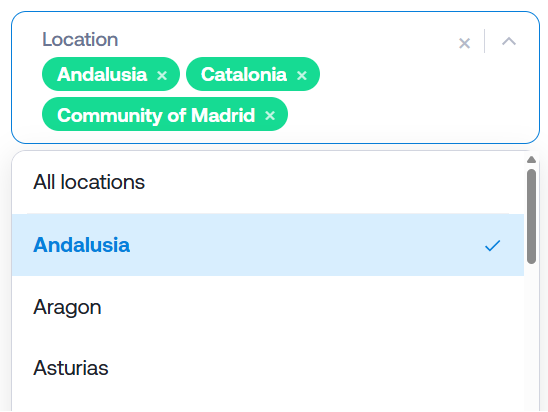
Location
Filter by Spain’s Autonomous Communities (Comunidades Autónomas), where the underlying property is located, so your strategy can focus on specific regions or ensure maximum geographical diversification.
4) Edit, pause, and resume your strategy
Autoinvest 2.0 is designed for real-life investing, where preferences can change. You can:
- Edit an active strategy: update settings and continue investing with the new parameters
- Pause and resume: temporarily stop Autoinvest to control timing and wallet cash flow
Predictive analytics: Historical Match module
Autoinvest 2.0 also includes a predictive insight tool called Historical Match.
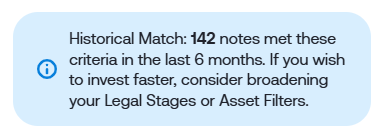
Based on your selected filters, the system reviews notes published over the past six months and identifies how many matched your criteria. This helps you estimate how frequently opportunities like yours have historically appeared and how regularly your funds might be allocated.
A quick note on expectations: historical matching is an insight tool, not a guarantee of future supply. It is meant to help you plan more realistically around availability.
Getting the most out of Autoinvest 2.0
If you want a practical way to think about configuration, here are three quick approaches, but they shall not be treated in any way as investment advice or recommendation on Indemo:
- Diversification-first: set a moderate Autoinvest Limit and a lower Limit per Asset, then filter by your preferred asset types and regions.
- Flow-stage focused: select only the legal stages that match your risk/time preference, then use Limit per Asset to enforce distribution.
- Opportunity-aware: use Historical Match to calibrate your filters so you are not overly narrow (or overly broad) versus recent note availability
Note: If you don't have access to Autoinvest
Autoinvest availability is linked to your Suitability & Appropriateness Assessment. If you see that Autoinvest is currently unavailable, you can check whether it’s locked or unlocked in your account settings:
How to check it on the platform:
- Go to the top-left corner of the screen
- Open the dropdown menu
- Select Suitability & Appropriateness Assessment
- In the second part of the assessment, you’ll see the status shown as Unlocked or Locked
If it’s Locked, Autoinvest will remain unavailable until you complete or update the assessment and your access is unlocked.
The availability of using Autoinvest directly depends on the results of the Suitability and Appropriateness assessment, especially of your risk appetite, investment goals and Sustainability preferences.
We want to hear from you
Autoinvest 2.0 is built to be a more transparent, controllable, and strategy-aligned way to invest on Indemo. We hope it becomes a genuinely useful part of how you build and manage your portfolio.
We are always working towards new update, if you have any suggestions or ideas for Autoinvest 3.0 please let us know in this survey:
Check out Indemo’s Key Socials:
📢 Telegram - Exclusive Indemo Community Chat featuring key Indemo stakeholders
📷 Instagram- Weekly content, Meet the Team, Weekly Stories
🎥 YouTube - Podcasts, expert insights, quarterly reviews, and giveaways
This content is a marketing communication. It shall not be treated as investment advice, independent research or offer, recommendation or invitation to invest in the investment opportunities referred to herein. The content is not aimed at promoting services or products to persons based in jurisdictions where the distribution of said information would be illegal.
Investing in financial instruments involves risk, and there’s no guarantee that investors will get back invested capital. Moreover, past performance does not guarantee future returns. Indemo SIA shall not be responsible for any direct or indirect loss from using the provided information.